Best Offline Authenticator Apps That Don’t Sync to the Cloud (2026 Guide)
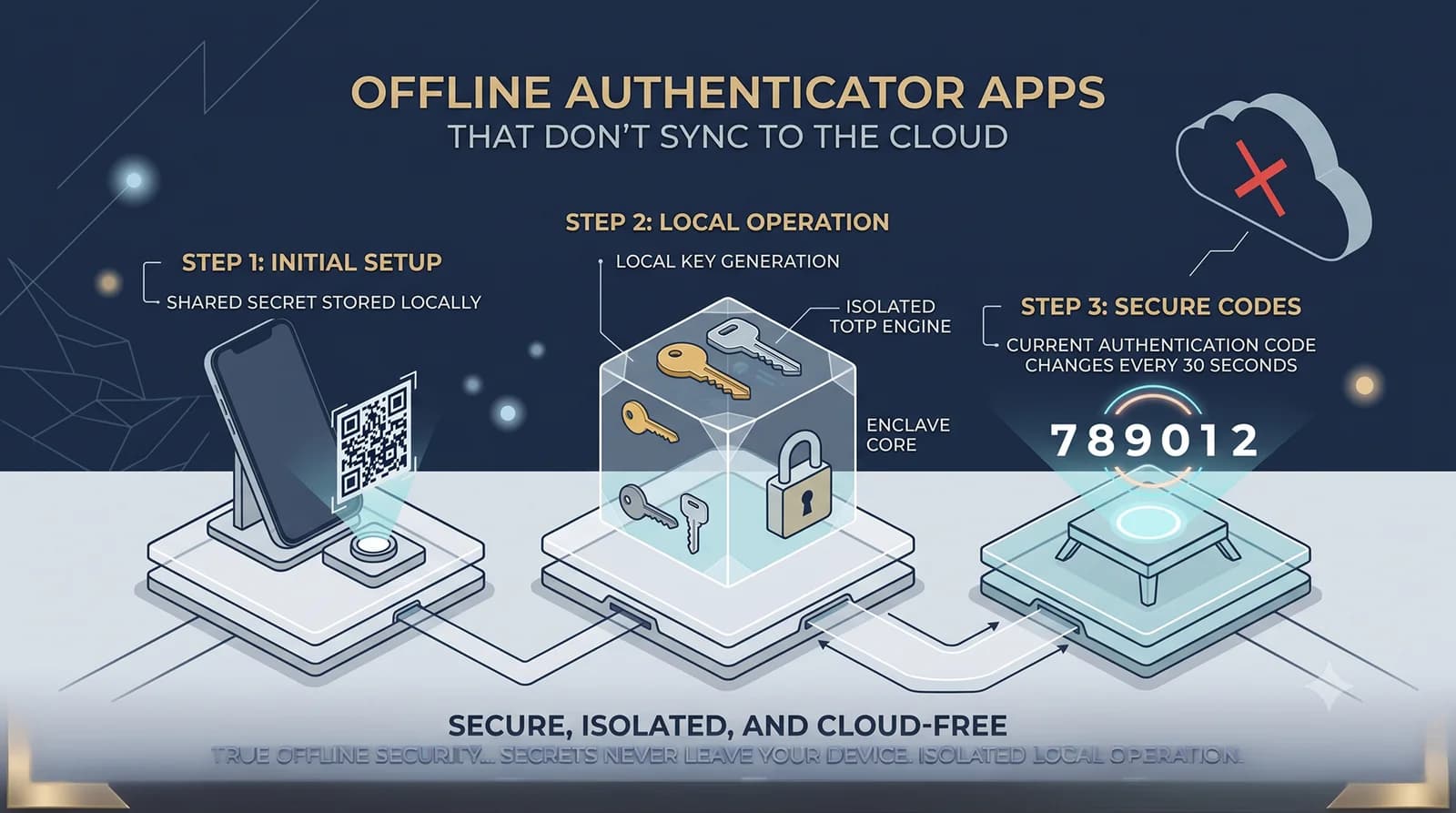
The most secure authenticator app is the one that never sends your secrets to a server. While cloud-synced authenticators offer convenience, they introduce a risk that most users never consider: your two-factor authentication secrets — the cryptographic seeds used to generate every 6-digit login code — are stored on someone else’s infrastructure, protected by someone else’s encryption decisions, and governed by someone else’s privacy policy.
In 2026, a growing number of security-conscious users are moving toward offline-first, air-gapped authenticator apps that keep secrets exclusively on the device. In this guide, we break down why cloud-synced authenticators carry real risk, compare the best offline and privacy-first alternatives available today, and explain what “hardware-backed encryption” actually means for your 2FA security.
Why Your Authenticator App’s Architecture Matters More Than You Think
Every authenticator app does the same basic job: it stores a shared secret (a Base32-encoded key) and uses the TOTP algorithm defined in RFC 6238 to combine that secret with the current time, producing a 6-digit code that rotates every 30 seconds.
The critical difference between authenticator apps is not how they generate codes — that algorithm is identical everywhere. The difference is where they store the secret and who else can access it.
This distinction is not theoretical. In the last three years alone, the authenticator app ecosystem has been hit by a series of real-world security incidents that exposed the fragility of cloud-dependent architectures.
The Cloud Sync Problem: Real Incidents, Real Risk
Google Authenticator’s Missing Encryption (2023)
In April 2023, Google introduced cloud synchronization to Google Authenticator, allowing users to back up their 2FA secrets to their Google Account. Within days, security researchers at Mysk analyzed the network traffic and discovered that the synchronization was not end-to-end encrypted.
The secrets were encrypted in transit (using TLS) and encrypted at rest on Google’s servers. But critically, they were not encrypted with a user-controlled passphrase. This means Google — or anyone who compromised a user’s Google Account — could theoretically access every 2FA seed stored in the backup.
Google’s Christiaan Brand, product manager for identity and security, acknowledged the criticism and stated that end-to-end encryption was planned for the future, but that the current design was a deliberate trade-off to prevent users from being permanently locked out if they forgot a master password.
As of September 2026, Google Authenticator does now offer optional end-to-end encryption for cloud sync. However, the incident permanently eroded trust among security-conscious users — and highlighted a fundamental tension in the cloud sync model: the provider must choose between user convenience and cryptographic guarantees, and they do not always choose the side you would expect.
The Authy Data Breach (July 2024)
In July 2024, Twilio confirmed that attackers exploited an unauthenticated API endpoint in its Authy service. The hacking group ShinyHunters published a database containing approximately 33 million phone numbers linked to Authy accounts.
While Twilio stated that authentication codes and secret seeds were not compromised, the exposure of phone numbers created direct risk for SIM-swapping attacks and targeted phishing. According to FBI IC3 data, there were 982 reported SIM swap complaints in the United States in 2024, resulting in $25.98 million in losses. In the United Kingdom, Cifas reported a staggering 1,055% increase in unauthorized SIM swap cases in 2024, with nearly 3,000 cases filed compared to 289 in 2023.
For a security app whose entire purpose is to protect user accounts, leaking the identity of its users to attackers represents a fundamental breach of trust.
The Raivo Authenticator Shutdown (2024)
Raivo Authenticator was a popular, privacy-focused iOS app — until it was acquired by a company called Mobime in mid-2023. In May 2024, users reported that an app update had effectively reset their installations, deleting 2FA tokens without warning. The new owners introduced a subscription paywall, disabled the GitHub issues page to block user complaints, and were removed from privacy recommendation lists including PrivacyTools.io.
The Raivo incident illustrates a risk unique to proprietary, cloud-dependent apps: when the company changes hands, your security posture changes with it — and you may not find out until your codes are already gone.
The Pattern
- Cloud sync creates a centralized target (a server that holds millions of users’ 2FA seeds).
- Proprietary ownership means users have no visibility into — or control over — security decisions.
- Vendor transitions (acquisitions, shutdowns, pivots) can instantly change the privacy guarantees you relied on.
These are not isolated events. They represent a structural vulnerability in the cloud-synced authenticator model:
What “Offline-First” and “Air-Gapped” Actually Mean
These terms are used loosely in marketing. Here is what they mean technically:
Offline-first means the app stores and processes all data locally on the device as its primary operating mode. It does not require an internet connection to function. Cloud sync, if available at all, is opt-in and supplementary.
Air-gapped goes further. An air-gapped authenticator requests zero network permissions from the operating system. It cannot connect to the internet even if it wanted to. There is no cloud sync, no analytics endpoint, no telemetry beacon, no update channel that transmits data. The app is cryptographically isolated from the network.
The distinction matters. An offline-first app *can* work without the internet but *might still phone home* for analytics or crash reporting. An air-gapped app is architecturally incapable of transmitting data off the device.
The Best Offline and Privacy-First Authenticator Apps in 2026
1. Aegis Authenticator (Android)
Best for: Android users who want maximum local control with zero cloud dependency.
Aegis is the gold standard for privacy-first authentication on Android. It is fully open-source (GPLv3), stores all tokens in a local vault encrypted with AES-256-GCM, and derives the encryption key using scrypt — a memory-hard key derivation function designed to resist brute-force attacks.
Security highlights:
- Vault is encrypted with AES-256-GCM, protected by a master password or biometric authentication via the Android Keystore
- Screen capture prevention is built in (prevents screenshots of the app)
- Includes a panic button integration (via Ripple) that can instantly wipe the vault if triggered
- Supports tap to reveal for individual codes, keeping them hidden by default
- Comprehensive import support: can migrate tokens from Google Authenticator, Authy, Microsoft Authenticator, and dozens of other apps
– Vault is encrypted with AES-256-GCM, protected by a master password or biometric authentication via the Android Keystore
Limitations: Android-only. No iOS version exists. No cloud sync means you must manage your own encrypted backups — if you lose your phone without a backup, you lose your codes.
Open source: Yes. Source code is publicly available on GitHub, allowing independent security review.
2. Ente Auth (Android, iOS, Desktop, Web)
Best for: Users who want end-to-end encrypted sync across multiple devices.
Ente Auth takes a different approach: it offers cloud sync, but with end-to-end encryption verified by independent external audits. Your 2FA secrets are encrypted on-device before they leave for the cloud. Ente cannot read your data, even if compelled by a legal order.
Security highlights:
- End-to-end encrypted cloud sync with independently audited encryption
- Cross-platform: Android, iOS, macOS, Windows, Linux, and web
- Offline functionality: generates codes without an internet connection
- Next-code preview: shows the upcoming code when the current one is about to expire
- Open-source: full source code available on GitHub
– End-to-end encrypted cloud sync with independently audited encryption
Limitations: An account is required for cloud sync (though the app can be used on a single device without one). The trust model shifts from no cloud at all to encrypted cloud — which is a meaningful improvement over unencrypted sync, but still involves a remote server.
3. 2FAS (Android, iOS)
Best for: Users who want a clean, no-account experience with optional encrypted backup.
2FAS has earned consistent “Editors’ Choice” recognition for its balance of simplicity and privacy. No account, no email, no phone number required. It generates codes entirely offline and stores everything locally.
Security highlights:
- Zero account requirement — fully anonymous usage
- Open-source and community-driven
- Optional encrypted cloud backup via iCloud or Google Drive (opt-in, not default)
- Browser extension for one-tap authentication on desktop
- Biometric and PIN protection
– Zero account requirement — fully anonymous usage
Limitations: If you enable cloud backup, you are trusting Apple (iCloud) or Google (Drive) with your encrypted data. The app itself does not operate its own cloud — it leverages your existing cloud provider.
4. Bitwarden Authenticator (Android, iOS)
Best for: Existing Bitwarden users who want a unified security ecosystem.
Bitwarden released a standalone, open-source authenticator app that works independently of its password manager. As of 2025, it supports bidirectional sync with the Bitwarden vault for users who want integrated credential management.
Security highlights:
- Open-source
- Works standalone without a Bitwarden account
- Optional sync with Bitwarden vault (end-to-end encrypted)
- Standard TOTP support with easy import/export
– Open-source
Limitations: The sync feature ties into Bitwarden’s cloud infrastructure. For maximum isolation, some security models recommend keeping your 2FA codes in a separate app from your password manager — so that compromising one system does not compromise both.
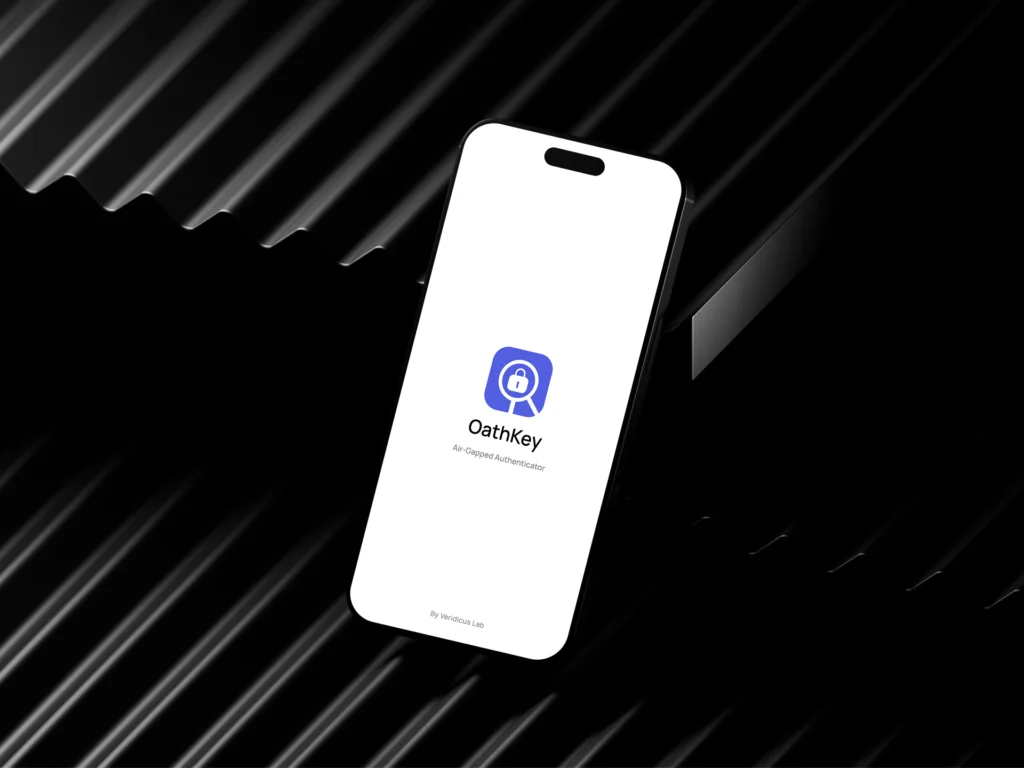
5. OathKey by Veridicus Lab (Android, iOS) — Coming Soon
Best for: Users who want a truly air-gapped authenticator with hardware-backed encryption.
OathKey is currently in development at Veridicus Lab and represents the most uncompromising approach to authenticator security in this list. It is designed as a fully air-gapped TOTP authenticator — meaning it requests zero network permissions from the operating system and is architecturally incapable of transmitting data off the device.
Security architecture:
- Air-gapped by design: Zero network permissions. The app cannot connect to the internet, send analytics, or transmit telemetry. There is no cloud sync option because there is no cloud.
- Hardware-backed encryption: Secrets are protected by the iOS Secure Enclave and Android Keystore — dedicated hardware coprocessors that store cryptographic keys in tamper-resistant silicon. The key material never enters application memory.
- Screen capture blocked: Implements FLAG_SECURE on Android, which prevents screenshots, screen recordings, and visibility in the Recent Apps overview.
- RFC 6238 compliant: Standard TOTP implementation, compatible with any service that supports authenticator apps.
- Zero telemetry: No analytics, no crash reporting, no usage tracking of any kind.
Limitations: No cloud sync means you are fully responsible for your own backup strategy. No cross-device sync. Currently in development — not yet available for download.
Why it matters: OathKey eliminates the entire category of cloud-related risks by removing the network stack entirely. It is designed for users who treat their 2FA secrets with the same gravity as their private encryption keys — and believe those secrets should never exist anywhere except inside hardware-protected storage on a device they physically control.
Follow development updates on the Veridicus Lab.
Comparison Table
| Feature | Aegis | Ente Auth | 2FAS | Bitwarden Auth | OathKey |
|---|---|---|---|---|---|
| Platforms | Android | Android, iOS, Desktop, Web | Android, iOS | Android, iOS | Android, iOS |
| Open Source | Yes (GPLv3) | Yes | Yes | Yes | Proprietary |
| Cloud Sync | None | E2E Encrypted | Optional (iCloud/Drive) | Optional (Bitwarden) | None (air-gapped) |
| Account Required | No | Optional | No | Optional | No |
| Encryption | AES-256-GCM | E2E (audited) | Device-level | E2E (Bitwarden) | Hardware-backed |
| Network Perms | Minimal | Required for sync | Minimal | Required for sync | Zero |
| Screen Capture | Yes | No | No | No | Yes (FLAG_SECURE) |
| Offline Operation | Full | Full | Full | Full | Full (only mode) |
Understanding Hardware-Backed Encryption
Several apps on this list mention “hardware-backed encryption.” Here is what that means concretely.
Modern smartphones contain dedicated security hardware — a physically separate coprocessor designed to protect cryptographic keys:
iOS: Secure Enclave. A separate processor within the Apple SoC with its own secure boot process, dedicated memory, and hardware random number generator. Keys stored in the Secure Enclave never leave the hardware. When an app needs to decrypt data, it sends a request to the Secure Enclave, which performs the cryptographic operation internally and returns only the result — the key itself is never exposed to the application or the operating system.
Android: Keystore with TEE/StrongBox. Android’s Keystore system stores keys inside the Trusted Execution Environment (TEE) — an isolated area of the main processor running its own separate OS. High-security devices include StrongBox, a dedicated tamper-resistant chip that provides even stronger isolation. When a key is marked as hardware-backed, all cryptographic operations occur inside the TEE or StrongBox — the key material never enters application memory.
For an authenticator app, hardware-backed encryption means your TOTP secrets are protected at the silicon level. Even if an attacker gains root access to the operating system, the key material remains locked inside dedicated security hardware that is architecturally isolated from the main processor.
The Passkeys Question: Do You Still Need an Authenticator App in 2026?
Passkeys — based on the FIDO2/WebAuthn standard — are widely considered the gold standard for authentication in 2026. They are phishing-resistant by design: the credential is cryptographically bound to the specific website, making it impossible to use on a fake phishing page. Microsoft is retiring SMS-based MFA entirely by February 2027, pushing users toward passkeys and hardware security keys.
So do you still need a TOTP authenticator app?
Yes. Passkeys are the future, but TOTP is the present reality for most of the internet. The vast majority of websites, services, and platforms that support 2FA still use TOTP as their primary (or only) method. Your bank, your hosting provider, your domain registrar, your cryptocurrency exchange, your email provider — many of these still rely on 6-digit codes from an authenticator app.
The practical strategy in 2026: use passkeys everywhere they are supported, and use a privacy-first authenticator app for everything else. The two are complementary, not competing.
NIST’s updated Digital Identity Guidelines (SP 800-63B, Revision 4, published August 2025) explicitly classify SMS-based one-time passwords as a “restricted” authenticator type — meaning organizations that use SMS must formally assess and accept the associated risks, offer at least one unrestricted alternative, and maintain a migration plan. App-based TOTP, by contrast, remains a fully approved authenticator type at AAL2 — the assurance level required by most consumer and business applications.
How to Choose: A Decision Framework
Aegis if you are on Android and want the most battle-tested, fully offline authenticator with zero cloud involvement.
Ente Auth if you need cross-platform sync (phone, desktop, web) and trust independently audited end-to-end encryption.
2FAS if you want the simplest possible setup — no account, no decisions, just install and scan QR codes.
Bitwarden Authenticator if you already use Bitwarden for password management and want a unified, open-source security ecosystem.
Choose OathKey if you want the most uncompromising approach: zero network permissions, hardware-backed encryption, screen capture prevention, and a guarantee that your secrets physically cannot leave the device. (Available soon from Veridicus Lab.)
The Backup Problem: The Trade-Off You Must Understand
Every offline-first authenticator imposes the same trade-off: you are responsible for your own backup strategy. There is no forgot my password button. There is no cloud recovery. If you lose your phone and do not have a backup, you will be locked out of every account protected by those codes.
Here is the minimum viable backup strategy:
- Export your tokens using the app’s encrypted export feature (Aegis, 2FAS, and most apps support this).
- Store the encrypted export on at least two physically separate devices — a USB drive, an external hard drive, or a secondary phone kept in a secure location.
- Save your recovery codes. When you first enable 2FA on any service, the service provides one-time recovery codes. Print them. Store them physically. These are your last resort.
- Test your backup. Restore your encrypted export on a secondary device to verify it works before you need it.
The Bottom Line
The authenticator app landscape in 2026 is sharply divided between two philosophies:
Cloud-synced apps (Google Authenticator, Authy, Microsoft Authenticator) prioritize convenience and recovery. They are appropriate for most users who trust the provider’s encryption and want protection against device loss.
Offline-first apps (Aegis, 2FAS, OathKey) prioritize sovereignty and minimized attack surface. They are appropriate for users who believe the greatest risk is not losing their phone — it is trusting a third party with the keys to every account they own.
Both approaches are valid. But if you are reading this article, you probably already know which camp you belong to.
Your authenticator app holds the keys to your digital life. Choose one that treats those keys with the gravity they deserve.
—
Interested in knowing about: How to Generate SHA-256 Hashes in the Browser Using the Web Crypto API
Enjoyed this technical dispatch?
Share it with fellow engineers or connect with us for questions.
Nirdhum
Veridicus Lab is an independent software lab creating privacy-first digital tools, developer utilities, and offline-first mobile apps.